
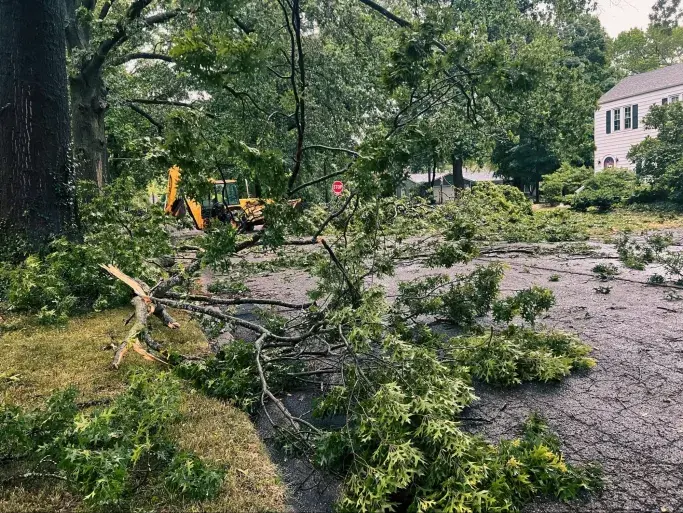
Severe weather and natural disasters can wreak havoc on terrestrial internet services, knocking out power for extended periods and damaging underground cables, towers, and data centers. It takes time to restore power and repair ISP infrastructure, leaving users offline when they need a reliable connection the most. In rural areas, satellite internet connections help prepare homeowners for possible emergencies.
Satellite internet offers an emergency-resistant alternative to terrestrial internet services, as your connection relies on orbiting satellites instead of local ground-based infrastructure. As long as you have power and a clear view of the sky, you can get online. In an emergency, satellite internet allows households to stay abreast of news reports, access FEMA and other emergency organizations, and check in on friends and neighbors.
Pre-Emergency Preparation for Satellite Internet
The following tips help prepare your satellite internet for emergencies:
- Secure a Backup Power Source: Whether you rely on a utility company or an off-grid system, ensure you have a backup power source to keep your satellite internet running during emergencies. A fully-charged power bank, car charger, generator, or portable solar panel system can help you stay connected.
- Regularly Check Your Equipment: Ensure your modem, router, and dish are functioning correctly before an emergency.
- Store Extra Equipment: If you live in an area where emergencies can cause physical damage, keep a small stash of cables, connectors, and patch kits close to hand.
- Waterproof Equipment: Regularly check your outdoor connections to ensure everything is water-tight.
- Keep the Signal Path Clear: Check you have an unobscured line of sight between your satellite dish and the sky.
- Clear Debris from the Satellite Dish: Regularly clear snow, leaves, and other debris from the satellite dish to prevent damage and signal interference.
Before extreme weather arrives, power down your system and unplug your router/modem to prevent damage caused by power surges.
Post Emergency Action
In the aftermath of an emergency, there are steps you need to take to ensure your safety and to check your satellite equipment. Your safety and that of your family come first. Once everyone is safe, you can turn your attention to your internet connection:
- Check for Damage: Inspect your satellite internet equipment for physical damage, including broken mounts, frayed wires, or water exposure, before powering the system on. If water damage is present, do not turn the system on until it has been professionally inspected, as electrical systems can be dangerous when wet.
- Check for Signal Obstructions: During your safety inspection, ensure the satellite dish maintains a clear line of sight to the sky and remove any fallen branches or debris. Be aware that severe storms can temporarily impact signal quality, which should return to normal as the weather clears.
- Restore Power: If the system passes your safety check, plug your router/modem into the power or a backup power source. If the system receives power but does not connect, perform a power cycle by unplugging the router/modem, waiting a minute, then plugging the modem/router back in and allowing it to boot up fully.
Report any damage to your internet service provider, who will help you arrange for repairs.
Why Choose Hughesnet
Hughesnet® provides reliable satellite internet for emergencies, keeping you connected during hurricanes, wildfires, earthquakes, and other natural disasters. The same advanced satellite technology trusted for critical communications is available for your home, ensuring connectivity no matter how remote your location. Hughesnet satellite internet plans help you stay prepared and recover quickly when it matters most. Learn more about our satellite internet service today!


ORDER BY PHONE
844-737-2700
ORDER NOW
ONLINE